
aws cloud security foundation
AWS Cloud Security Foundation
Welcome to my resume from AWS Academy about the basics of Cloud Security.
This course consist of 8 modules.
Module 1: Welcome to AWS Academy Cloud Security Foundations
Module 2: Introduction to Security on AWS
Module 3: Securing Access to Cloud Resources
Module 4: Securing Your Infrastructure
Module 5: Protecting Data in Your Application
Module 6: Logging and Monitoring
Module 7: Responding to and Managing an Incident
Module 8: Bridging to Certification
Introduction
- Bank Business scenario
Let’s discuss how the concepts in this module are applicable to the bank business scenario.
For her first meeting with John, María decides to present information about the foundations of cloud security
and the AWS shared responsibility model.
This will be an excellent way to build trust and rapport with her new supervisor.
By beginning with the foundations of cloud security, she can assess John’s comfort level with the subject matter while providing the necessary information to make her business case.
María decides to introduce the shared responsibility model to explain how both the bank and AWS will protect the bank’s resources with multiple layers of security. She intends to use the model to demonstrate the areas where the bank or AWS would be responsible.
Security in the AWS cloud
first let’s see the benefit of the cloud
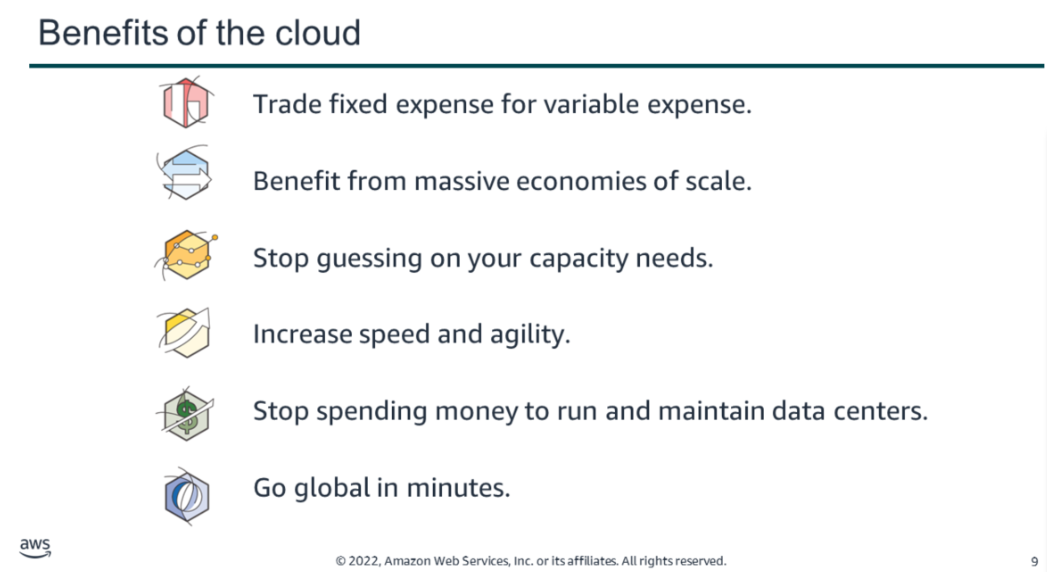
Trade fixed expense for variable expense: Instead of needing to invest heavily in data centers and servers before you know how you will use them, pay only when you consume computing resources, and pay only for how much you consume.
Benefit from massive economies of scale: By using cloud computing, you can achieve a lower variable cost than you can get on your own. Because usage from hundreds of thousands of customers is aggregated in the cloud, providers such as AWS can achieve higher economies of scale, which translates into lower pay-as-you-go prices.
Stop guessing on your capacity needs: Stop guessing on your infrastructure capacity needs. When you make a capacity decision prior to deploying an application, you often either sit on expensive idle resources or deal with limited capacity. With cloud computing, these problems go away. You can access as much or as little capacity as you need, and scale up and down as required with only a few minutes of notice.
Increase speed and agility: In a cloud computing environment, new IT resources are only a click away. This means that you reduce the time to make those resources available to your developers from weeks to minutes. This results in a dramatic increase in agility for the organization, because the cost and time that it takes to experiment and develop is significantly lower.
Stop spending money to run and maintain data centers: Focus on projects that differentiate your business instead of focusing on the infrastructure. With cloud computing, you can focus on your own customers, rather than on the heavy lifting of racking, stacking, and powering servers.
Go global in minutes: Easily deploy your application in multiple regions around the world with a few clicks. This means you can provide lower latency and a better experience for your customers at minimal cost.
security principle

Confidentiality
Only authorized people can access the information. Unauthorized users are not allowed.
Integrity
Data stays correct, accurate, and unchanged. It also means the source of the information is trusted.
Availability
Information and systems are available when needed. If they are not accessible, they are not useful.
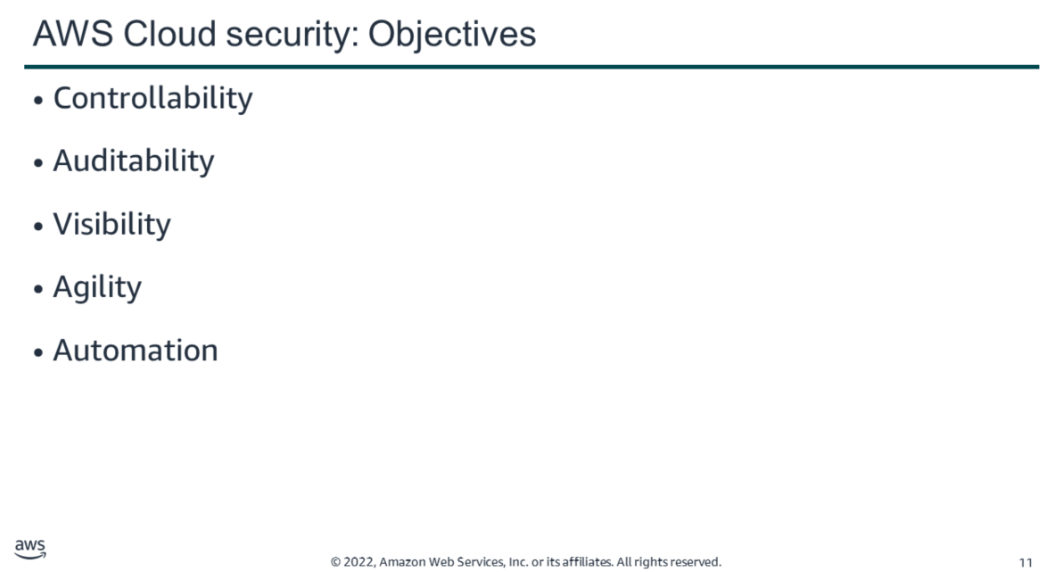
Security in the cloud is similar to security in on-premises data centers, but without the need to manage physical hardware and facilities. Instead, you use software-based tools to protect and monitor your data in AWS.
AWS makes security familiar by allowing you to use the same security models you already know. You still have visibility, control, and auditing of your resources.
In addition, AWS provides tools and services that help you automate security and scale it easily as your system grows.
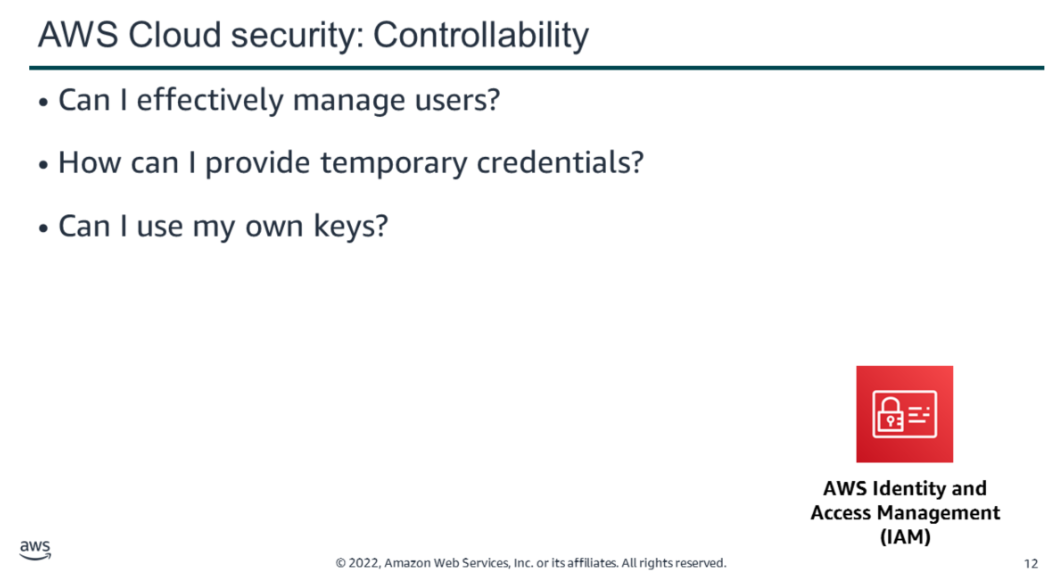
AWS provides tools to manage access, permissions, and encryption for your resources.
IAM (Identity and Access Management) helps you control:
- Who can access your AWS resources (authentication)
- What they can do (authorization)
You can create users, groups, and roles with specific permissions. This means you don’t need to share passwords, and each person gets only the access they need.
For example:
- Some users can have full access to services like EC2 and S3
- Others may only have read-only access or limited permissions
IAM also allows users from other systems (like your company network) to access AWS.
AWS STS (Security Token Service) provides temporary credentials. These are short-term access keys that improve security.
CloudHSM helps protect encryption keys using secure hardware. It allows you to safely create, store, and manage keys, ensuring only you can access them.
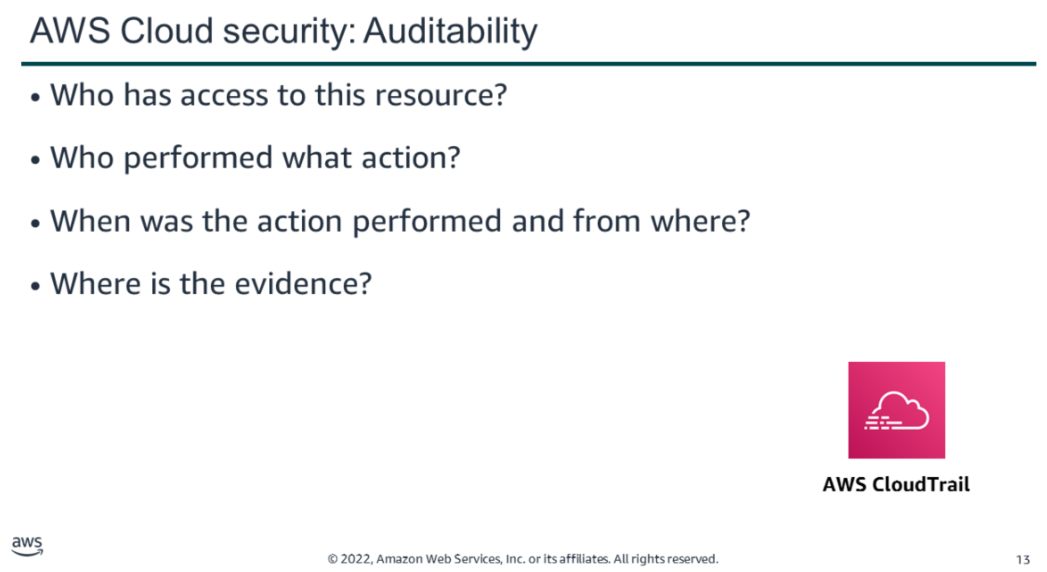
It is important to test and validate your protection measures to ensure they meet compliance requirements and operate as intended. Organizations typically rely on regular audits—either internal or external—of their environments to ensure conformity with policies and regulations.
AWS services such as AWS CloudTrail can help answer questions such as: What actions did a specific user take over a given time period? For a specific resource, which user performed actions on it during a defined time frame? What is the source IP address associated with a particular activity?
The first step in securing your assets is knowing what they are. You should not have to guess the composition of your IT inventory, who is accessing your resources, or what actions have been performed on them.
AWS provides tools to track and monitor your resources, giving you instant visibility into your inventory, as well as user and application activity. For example, by using AWS Config, you can discover existing AWS resources, export a complete inventory with all configuration details, and determine how a resource was configured at any point in time. These capabilities support compliance auditing, security analysis, resource change tracking, and troubleshooting
The increase in agility, and the ability to perform actions faster, at a larger scale, and at a lower cost, does not invalidate well-established principles of information security.
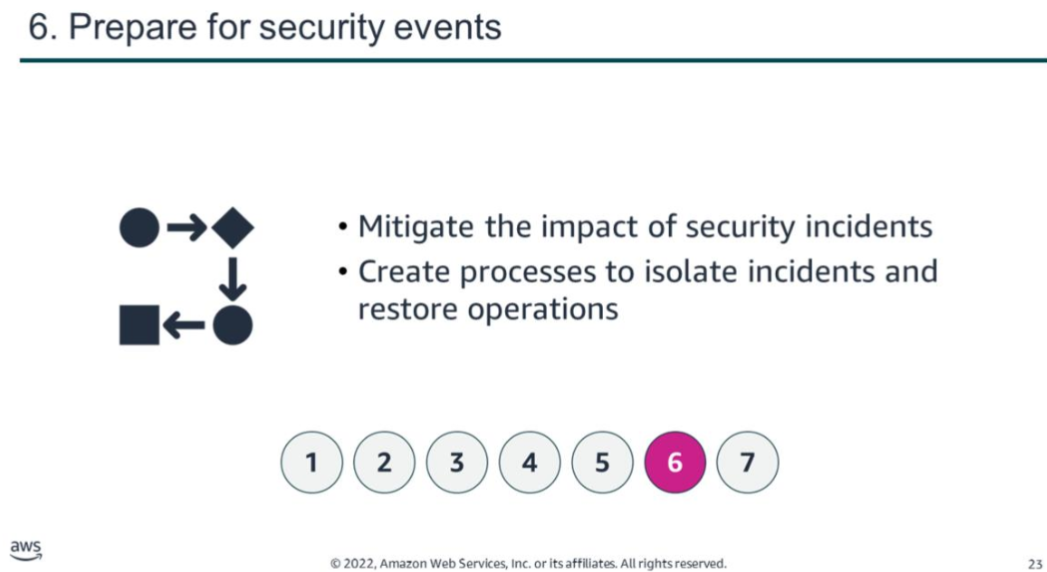
Automatically scaling to ensure high availability during a security incident is one way AWS provides agility to meet customer needs. AWS designs data centers with excess bandwidth so that, in the event of a major disruption, sufficient capacity is available to load balance traffic and route it to remaining sites, minimizing the impact on customers. Customers can also leverage this multiple-Region, multiple-Availability-Zone strategy to build highly resilient applications at a low cost, easily replicate and back up data, and deploy global security controls consistently across their business.
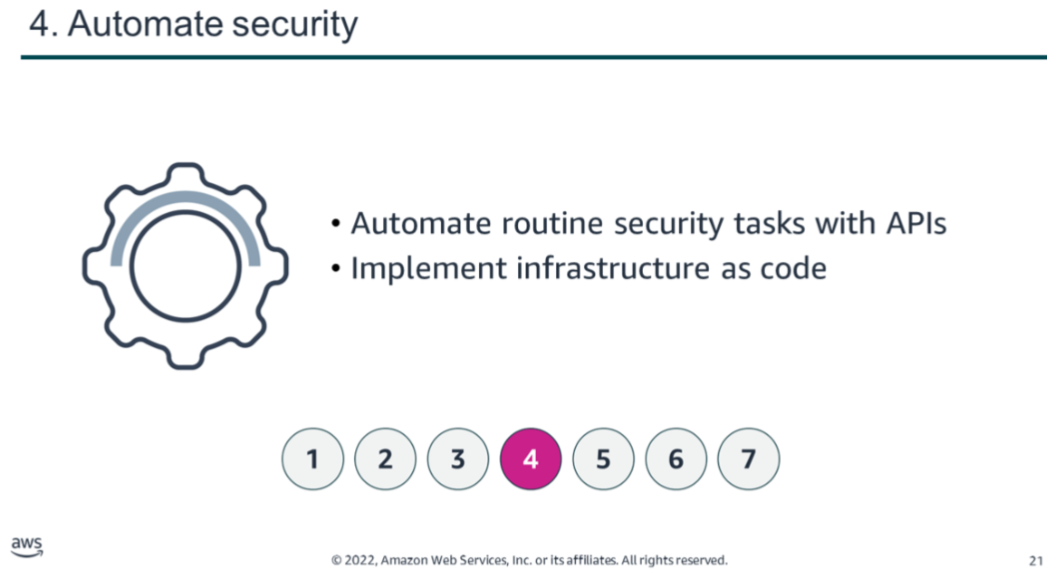
AWS tools are purpose-built and tailored to your environment, size, and global requirements. By building security tools from the ground up, AWS can automate many routine tasks that security experts normally spend time on. This allows AWS security experts to focus on measures that increase the security of your AWS Cloud environment. Customers can also automate security engineering and operations functions using a comprehensive set of APIs and tools.
For example, when you automate using services such as AWS CloudFormation, instead of manually deploying an environment for forensic troubleshooting, AWS can deploy an environment in a secure and reproducible manner.
Security design principle
An organizational security culture should be built on the principle of least privilege. Only grant access to data and other resources to the people who really need that access. You can start with denying access to everything and grant access as needed, based on job role
Identity and access management are key parts of an information security program to ensure that only authorized and authenticated users and components are able to access your resources, and only in a manner that you intend. In AWS, IAM is the primary service for permissions management. The service provides the ability to control user and programmatic access to AWS services and resources
With IAM, you can define principals (that is, accounts, users, roles, and services that can perform actions in your account) and build out granular policies aligned with these principals. You also have the ability to require strong password practices, such as setting a complexity level, avoiding re-use, and enforcing multi-factor authentication (MFA). You can use federation with your existing directory service. For workloads that require systems to have access to AWS, IAM can provide secure access through roles, instance profiles, identity federation, and temporary credentials.
With AWS, you can monitor, alert, and audit actions and changes in your environment in real time. AWS provides native logging and services that enhance visibility, allowing near–real-time detection of events. These tools can be integrated with your existing logging and monitoring solutions to track workloads, ensure operational compliance, and meet security governance standards.
Detective controls can be implemented by processing logs and events, enabling auditing, automated analysis, and alerting. Key AWS services include:
- AWS CloudTrail – logs API calls for auditing purposes.
- Amazon CloudWatch – monitors metrics and triggers alarms.
- AWS Config – provides configuration history for resources.
- Amazon GuardDuty – continuously detects malicious or unauthorized behavior.
- Service-level logs – for example, Amazon S3 can log access requests for auditing.
Together, these tools allow organizations to maintain visibility, detect anomalies, and respond quickly to security events.
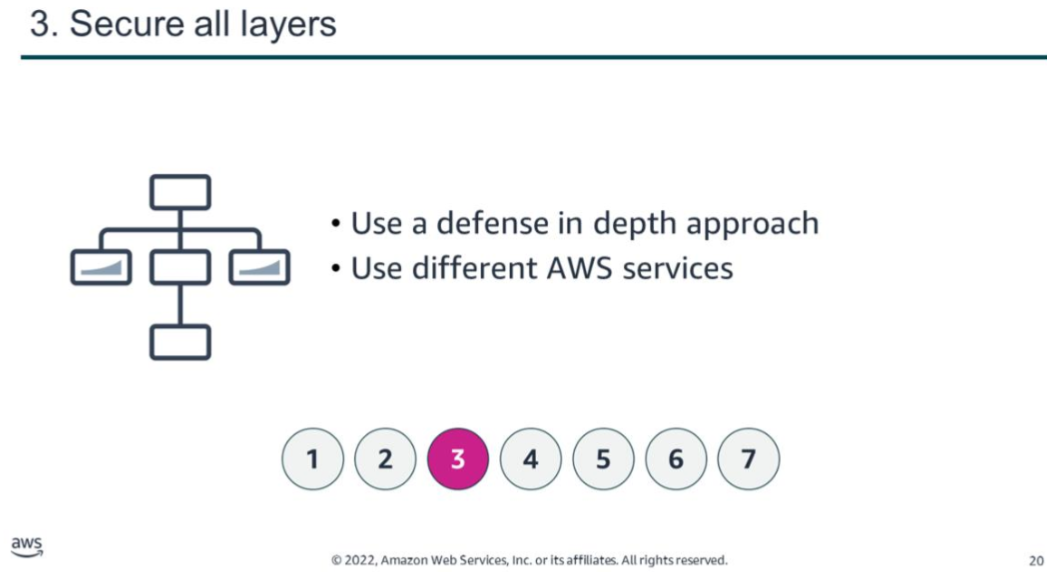
Rather than only focusing on the protection of a single outer layer, apply a defense in depth approach with other security controls. This means to apply security to all layers, such as your network, application, and data store. For example, you can require users to strongly authenticate to an application. In addition, ensure that users come from a trusted network path and require access to the decryption keys to process encrypted data. One of the benefits of using AWS is that our services are also built for integration. You can use several AWS services together to provide the most secure environment for your data and resources.
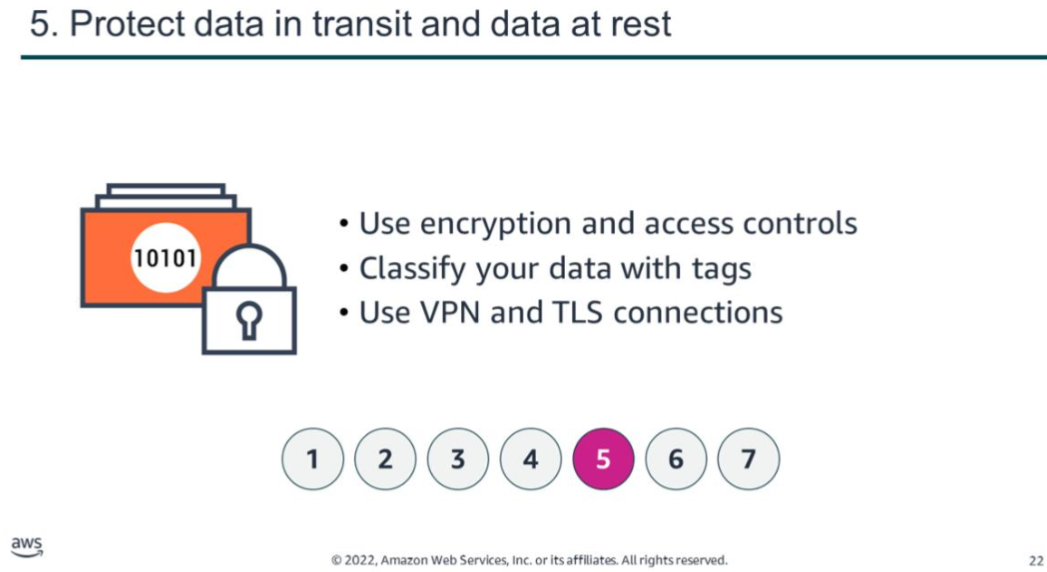
Generally, a cyberattack ends for one of two reasons: the attackers give up, or they achieve their goal. You can reduce your exposure to unintended access by hardening operating systems and minimizing the components, libraries, and externally accessible services in use. Start by removing unused components, such as unnecessary OS packages and applications. Configure security groups and network access control lists (ACLs) in Amazon Virtual Private Cloud (VPC) to reduce the attack surface of your applications.
Certain AWS services, such as AWS Auto Scaling and Amazon CloudFront, help applications scale to absorb common infrastructure-layer attacks, including UDP reflection attacks and SYN floods. A UDP reflection attack occurs when an attacker sends requests with a forged source address to elicit responses from a target. A SYN flood is a type of distributed denial-of-service (DDoS) attack that consumes server resources to make it unavailable to legitimate traffic. Automatic scaling and similar techniques help absorb larger volumes of such attacks.
shared responsibility Model
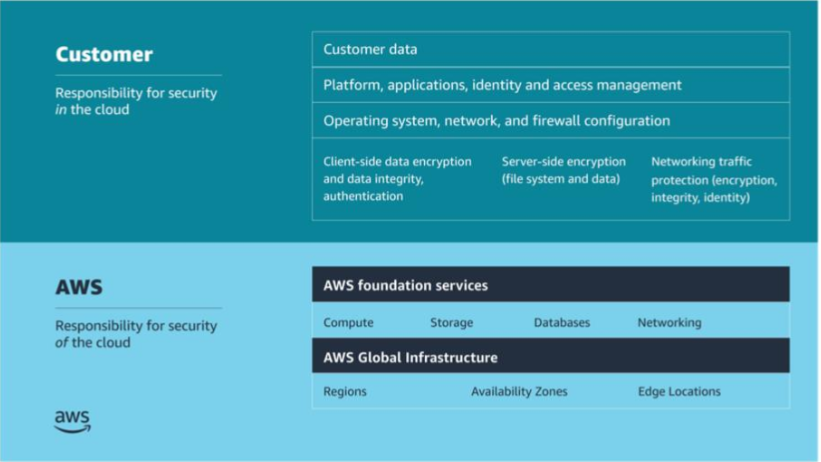
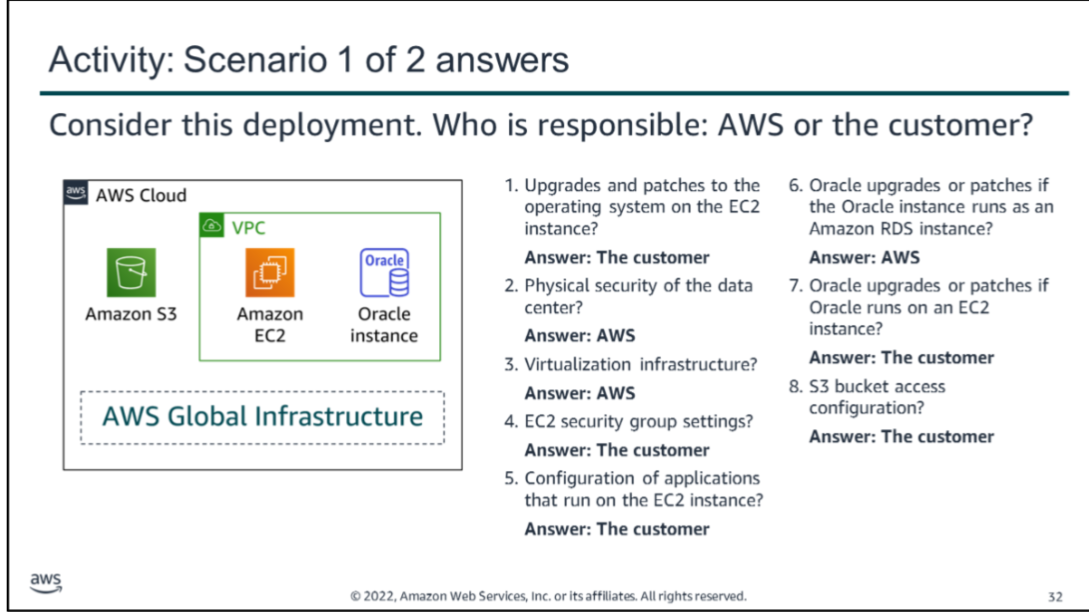
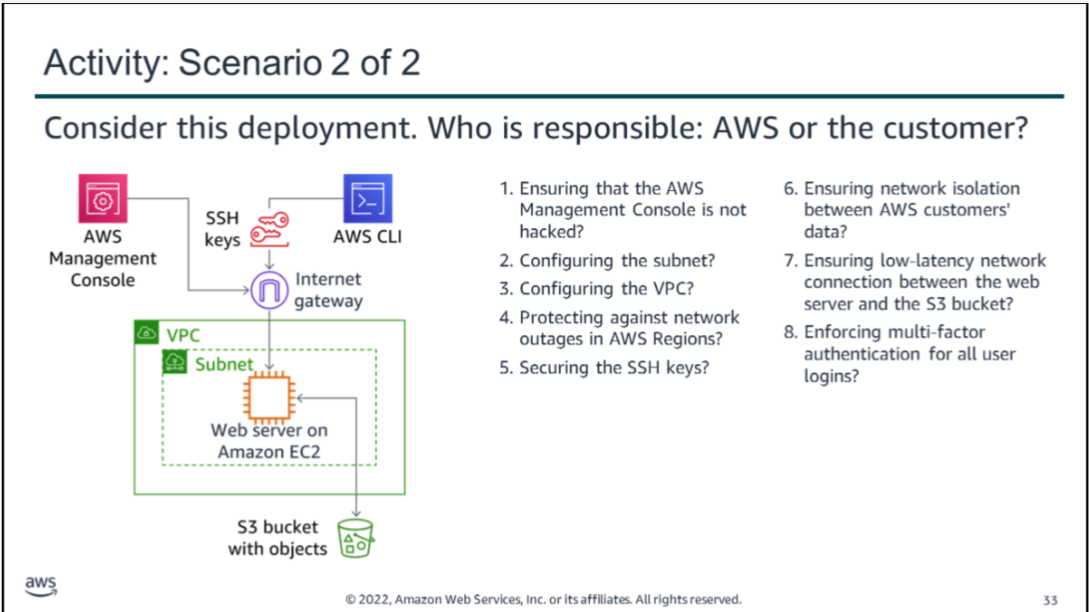
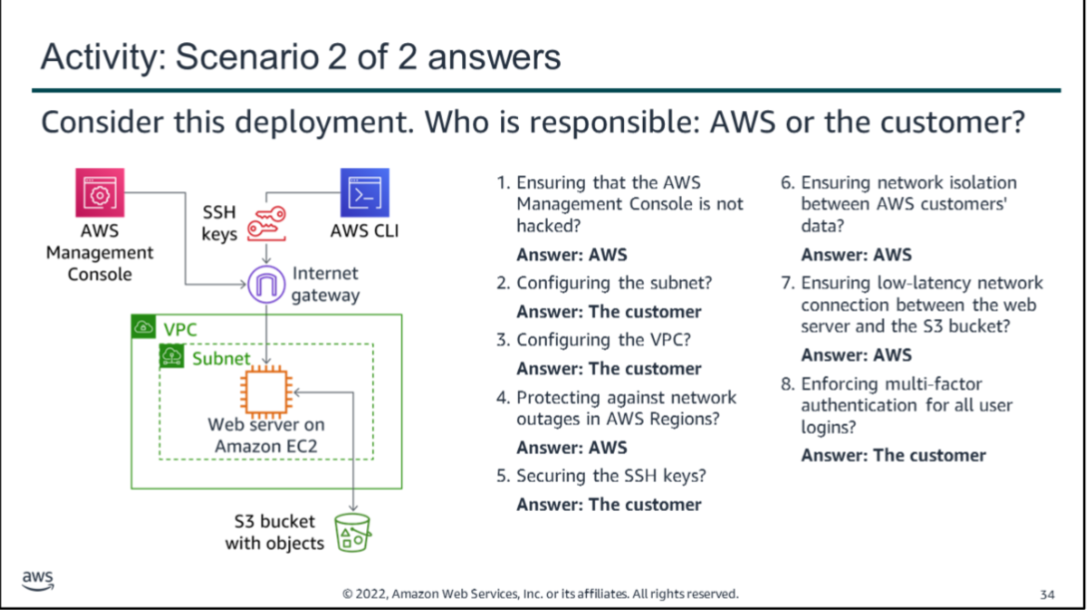
AWS Shared Responsibility Model
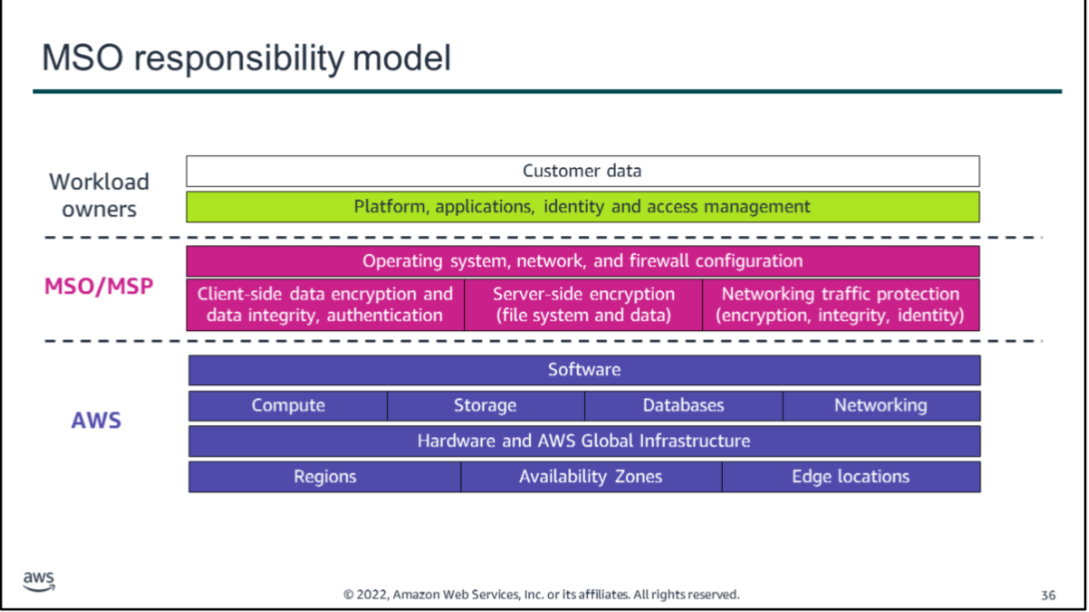
- AWS (Security *of* the Cloud):
- Protects the infrastructure running all AWS services, including hardware, software, networking, and physical facilities.
- Manages foundational services like compute, storage, databases, networking, and the global infrastructure (Regions, Availability Zones, Edge Locations).
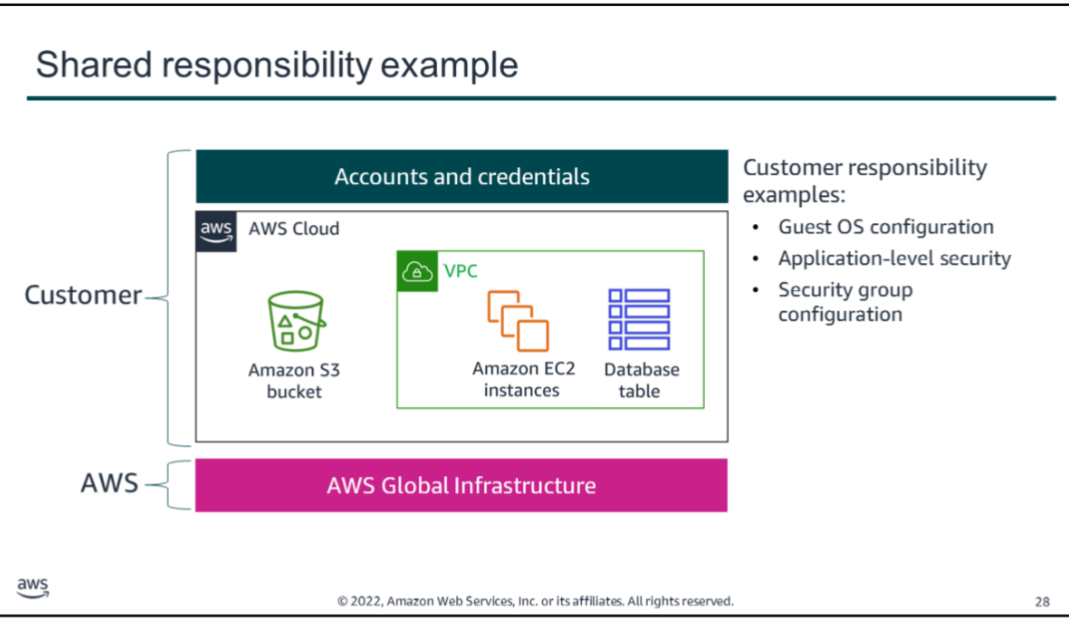
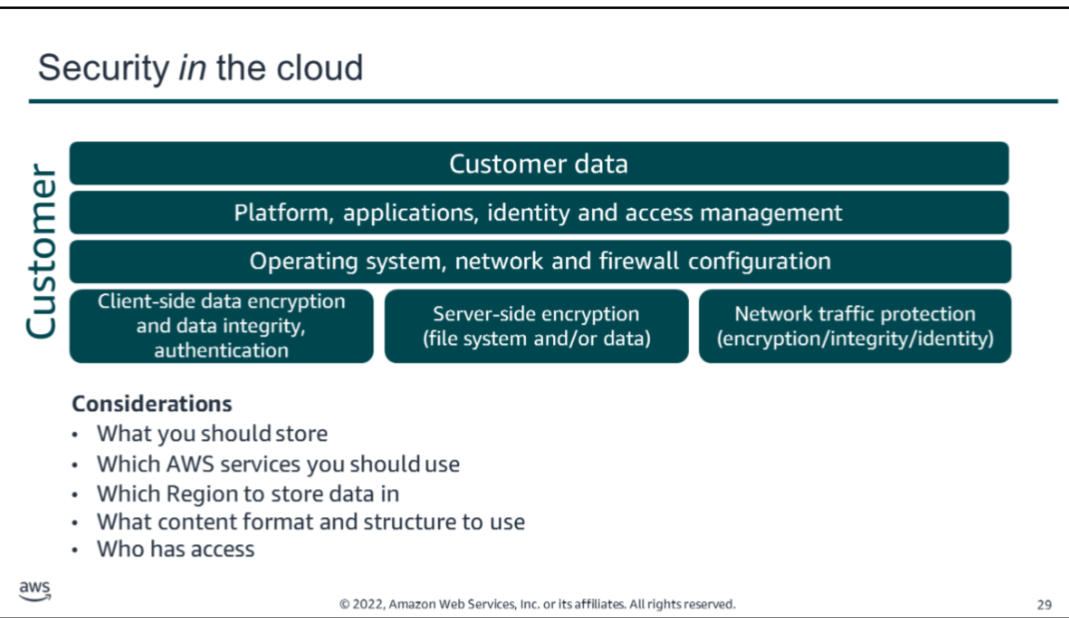
- Customer (Security *in* the Cloud):
- Responsible for securing data, applications, and operating systems on AWS resources.
- Manage identity and access, firewall/security group configurations, network settings, and encryption (client-side and server-side).
- Ensure secure account management, application security, and data integrity.
- Key point: AWS secures the environment; you secure what you build and deploy within it. Responsibilities vary depending on the services used and system complexity.
Governance and Centralized Security Teams
One approach to implementing security at scale in AWS is to establish a centralized team responsible for:
- Creating repeatable processes and templates for deploying applications.
- Maintaining organizational control over deployments.
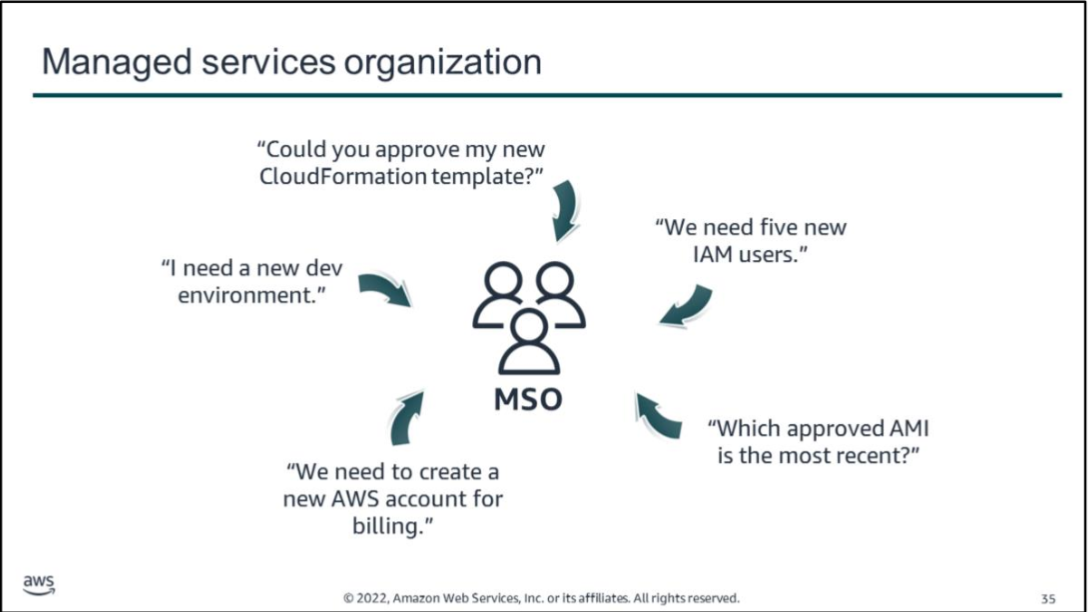
This team may be referred to as:
- Center of Excellence (CoE)
- Managed Services Organization (MSO)
- Managed Service Provider (MSP) — for external vendors validated under the AWS MSP Program.
Responsibilities of an MSO/MSP:
- Provisioning AWS accounts for workloads and teams.
- Establishing repeatable deployment processes using standardized templates and automation.
- Auditing deployments to ensure compliance and security standards are met.
- Hosting shared services: security tools, continuous monitoring, connectivity solutions, and authentication mechanisms.
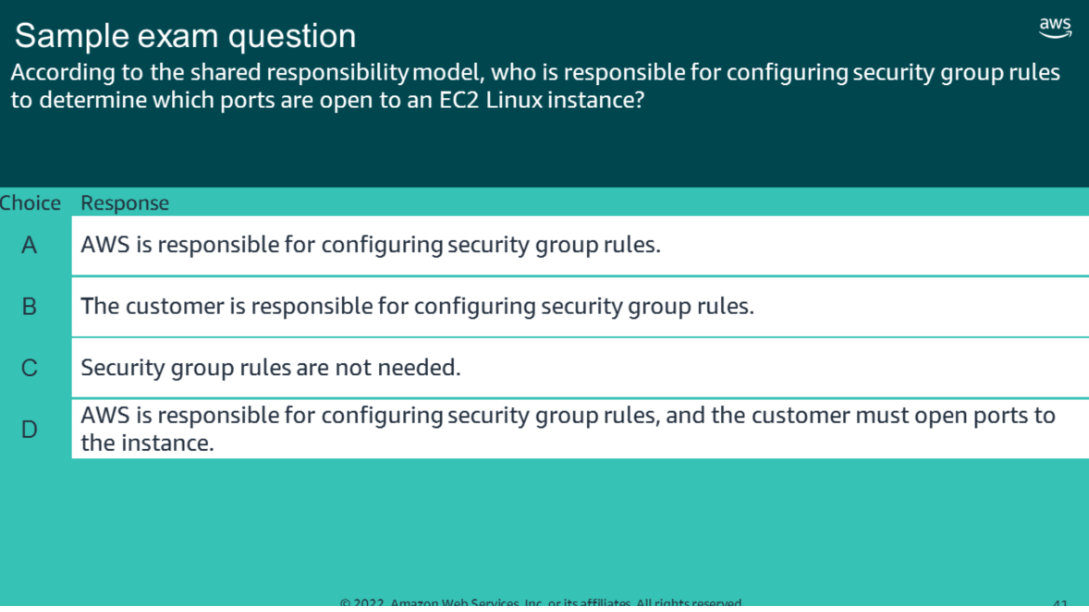
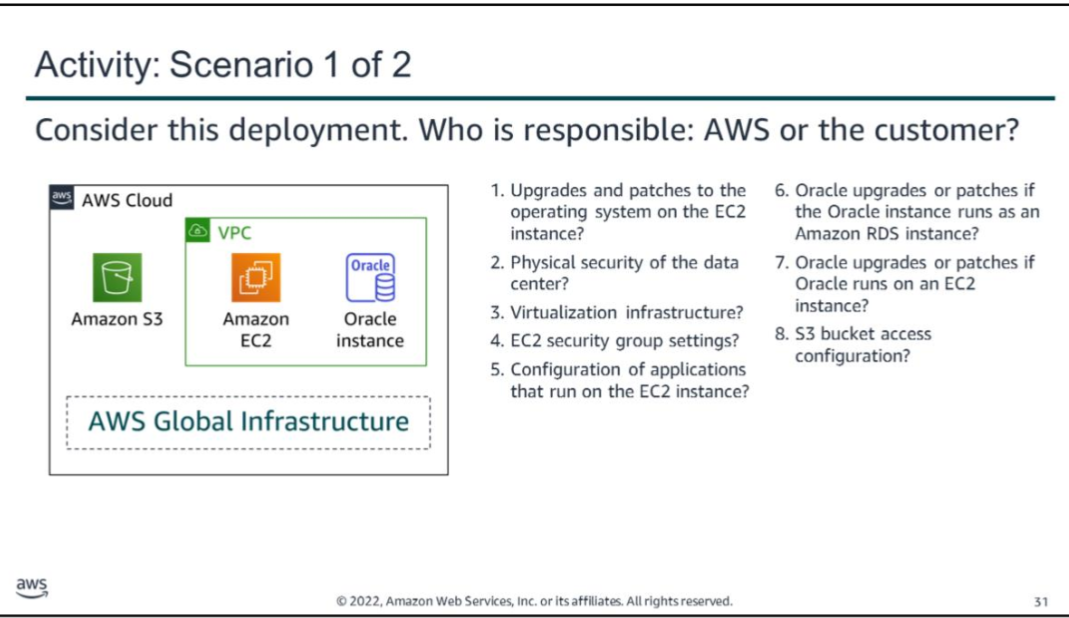
Correct Answer: B — Controlling network access to EC2 instances.
| Option | Explanation |
|---|---|
| A | Incorrect. AWS maintains the configuration of its infrastructure devices. However, the customer is responsible for configuring their own guest OS, databases, and applications. |
| B | Correct. The customer is responsible for configuring security groups and network access controls for their EC2 instances. |
| C | Incorrect. Security group rules that filter traffic by protocol and port number are the customer’s responsibility to configure. |
| D | Incorrect. Same as A — AWS manages infrastructure devices, but customers manage their own environments. |
Notes compiled from AWS Academy Cloud Security Foundations — Module 2: Introduction to Security on AWS.